
How to get video testimonials from customers
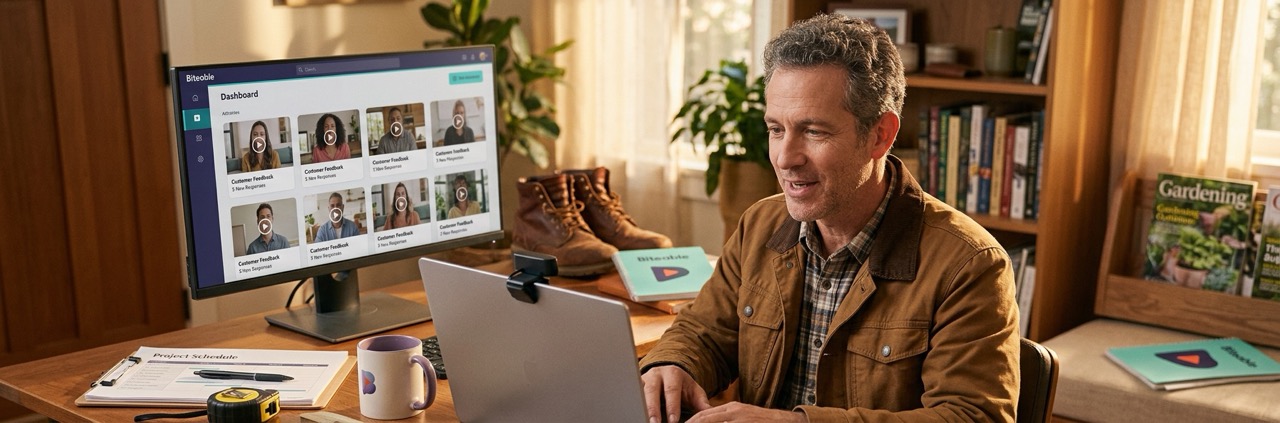
To get video testimonials from customers, ask your happiest customers soon after a good result, send five to seven short questions, and give them a link to record. Get written permission before you publish. Then edit the clips into a short, branded video with captions.
This guide covers each step. When you have your clips, our page on making a testimonial video shows how to turn them into the finished piece.
TL;DR
- Ask the right customers at the right time.
- Send questions and a recording link, not a calendar invite.
- Get written permission before you publish.
- Edit, caption and share the clips from one tool.
Who should you ask for a video testimonial?
The best candidates are customers who already like you and can point to a result. Look for:
- Repeat customers. They keep coming back, so they have a reason.
- Customers who left a strong written review. They’ve already said yes once.
- Customers who just got a clear result. The details are fresh.
- Customers who look like the buyers you want more of. Viewers see someone in their own situation.
Ask two or three people. Not everyone will say yes, and that’s normal.
How to get video testimonials from customers in 6 steps
Here’s how to make video testimonials without a film shoot, from the first ask to the shared video.
- Ask personally first. Pick two or three customers and ask them in person, by phone or by direct message.
- Write five to seven questions. Use our list of testimonial video questions.
- Create a Record Request. Write your prompt and share the link.
- Let the customer record. Their response arrives directly in Biteable, with no file transfers.
- Edit the clip. Drop it into a template, apply your brand and add AI Captions.
- Get permission, then share. Get written permission, then share the video with one link and a clickable CTA.
What should you send when you ask for a video testimonial?
Keep the request short and personal. Say why you’re asking, how long it takes, what you’ll ask, and how to record. Copy and edit this message:
Hi [Customer name],
Thanks again for working with [Your business]. Would you be open to recording a short video about your experience? It takes about [X] minutes, and you can record from wherever you are.
Here are the questions:
- [Question 1]
- [Question 2]
- [Question 3]
Record your answers here: [Record Request link]
Thank you for your help. [Your name]
Tips for the request:
- Say how long it takes. Customers can plan around it.
- Tell them no studio is needed. A laptop webcam is fine.
- Offer to send the questions first. Some people want to think before they talk.
- Follow up once. One friendly reminder is enough. Don’t chase.
How to collect remote video testimonials
Customers don’t need to come in to record. With Biteable’s Record Request, you create a prompt and share a link, and they respond directly in Biteable. Biteable’s Record page lists this as a use case: “Testimonials: Gather customer testimonials with the click of a link.”
Share these recording tips with the customer:
- Pick a quiet room.
- Face a window or lamp so the light is in front of them.
- Set the camera at eye level.
- Answer each question as its own take.
- Speak in full sentences that repeat the question, for example “What changed for us was…”
If you plan to post the video on social, tell them where it will run. That helps them think about how to frame the shot.
Get permission before you publish
Get the customer’s written permission to use their name, face and words in your marketing, and keep it on file. A short consent form or a reply to your email that says yes is better than a verbal okay.
The FTC’s guidance on endorsements is worth reading before you publish. Its Endorsement Guides FAQ says endorsements “must reflect the honest opinion of the endorser.” It also says that if an endorser has been paid or given something of value, that connection may need to be disclosed.
Two more points from the same page apply to testimonial videos:
- Disclose that customers knew they might be featured. The FTC says the chance to appear in your ads “might be seen as having a value,” and gives this example disclosure: “Customers were told in advance they might be featured in an ad.” A Record Request always tells customers in advance, so plan to include a line like this.
- Be careful with specific results. If a customer names a result, like hours saved or sales made, the FTC expects you to show it’s typical or state what results people can generally expect.
This is not legal advice.
What to look for in video testimonials software
Video testimonials software, or a video testimonials app, should make it easy for the customer to record and easy for you to finish the video. Look for:
- Customers can record from a link
- No file transfers
- Prompts or questions built into the request
- Editing in the same tool
- Branding applied automatically
- Captions
- One link to share the finished video
- Analytics on views and CTA clicks
Biteable covers each point. Record Request lets customers respond to your prompt from a link, directly in Biteable. You edit from a template, and Biteable’s branding tools fetch your brand from your website URL and apply it to every video. AI Captions are created in one click on the Premium and Business plans. Your video gets one link with a clickable CTA (see publishing), and Biteable’s analytics show views, completions and CTA clicks.
You can also see how Biteable turns customer clips into a testimonial video.
Why Biteable?
Request, record, edit, caption and share in one place. Biteable is trusted by over 9 million users at 10,000+ companies, including Nike, Amazon, and Siemens. Start with a free 7-day trial, with no credit card needed. See pricing for plan details.
Video testimonials FAQ
How do I ask a customer for a video testimonial without it being awkward?
Ask in person or by direct message first, before you send anything formal. Keep it light: tell them why their story matters to you and how little time it takes. Once they say yes, send the questions and the recording link in a short message, and thank them whether or not they record.
Should I pay or reward customers for a video testimonial?
You can, but disclose it, and never make the reward depend on what the customer says. The FTC’s Endorsement Guides FAQ says that if an endorser has been paid or given something of value, the connection may need to be disclosed, and that “You can’t condition an incentive… on a review being positive.” The endorsement must still reflect the customer’s honest opinion. Read the guidance before you offer anything. This is not legal advice.
What should I do with the video testimonials once I have them?
Edit the clips into a short video, add captions and your brand, and share it on your website, in emails, in sales follow-ups and on social media. Our testimonial video page covers where each one works best. For formats to copy, see our testimonial video examples.